
BFC
常见创建BFC的方式:
BFC(块级格式化上下文)属于普通流,BFC是一块独立的渲染区域,且有自己的渲染规则,将BFC看作元素的属性,若某元素拥有了BFC,则该元素便形成了一个独立的容器,容器内的元素不会在布局上影响到外面的元素。
重要
BFC区域独立计算大小,所以不会影响到外面的元素
常见创建BFC的方式:
根元素(<html>)
浮动元素(元素的 float 不是 none)
绝对定位元素(元素的 position 为 absolute 或 fixed)
行内块元素(元素的 display 为 inline-block)
overflow 计算值(Computed)不为 visible 的块元素
display 值为 flow-root 的元素
contain 值为 layout、content 或 paint 的元素
弹性元素(display 为 flex 或 inline-flex 元素的直接子元素)
网格元素(display 为 grid 或 inline-grid 元素的直接子元素)。

下列方式会创建块格式化上下文:

文档的根元素(<html>)。
浮动元素(即 float 值不为 none 的元素)。
绝对定位元素(position 值为 absolute 或 fixed 的元素)。
行内块元素(display 值为 inline-block 的元素)。
表格单元格(display 值为 table-cell,HTML 表格单元格默认值)。
表格标题(display 值为 table-caption,HTML 表格标题默认值)。
匿名表格单元格元素(display 值为 table(HTML 表格默认值)、table-row(表格行默认值)、table-row-group(表格体默认值)、table-header-group(表格头部默认值)、table-footer-group(表格尾部默认值)或 inline-table)。
overflow 值不为 visible 或 clip 的块级元素。
display 值为 flow-root 的元素。
contain 值为 layout、content 或 paint 的元素。
弹性元素(display 值为 flex 或 inline-flex 元素的直接子元素),如果它们本身既不是弹性、网格也不是表格容器。
网格元素(display 值为 grid 或 inline-grid 元素的直接子元素),如果它们本身既不是弹性、网格也不是表格容器。
多列容器(column-count 或 column-width 值不为 auto,且含有 column-count: 1 的元素)。
column-span 值为 all 的元素始终会创建一个新的格式化上下文,即使该元素没有包裹在一个多列容器中(规范变更、Chrome bug)
BFC特性:
1.BFC内部的BOX会垂直方向,一个一个放置。

2.box处置方向之间距离,由margin决定,属于同一个BFC内的连个相邻BOX的margin会重叠

   如:第一个容器设置下外边距为100px , 第一个容器下面的第二个容器设置上外边距为200px.当出现这种情况时,2个容器之间距离只有200px.
   也就是所谓的外边距塌陷.

3.BFC的区域不会与float box发生重叠

    如 :自适应两栏布局,解决悬浮元素覆盖问题。

4计算BFC的高度时,浮动元素也参与计算

    如:解决浮动造成的高度塌陷

5.BFC就是页面上的一个独立容器,容器里面的元素不会影响到外面的元素

6每个元素的margin box的左边会与包含块border box的左边相接触(对于从左到右的格式化,否则相反),即使存在浮动也会如此。


给 <div> 元素设置 display: flow-root 属性后,<div> 中的所有内容都会参与 BFC,浮动的内容不会从底部溢出。
排除外部浮动
下面的例子中,我们使用 display: flow-root 和浮动实现双列布局,因为正常文档流中建立的 BFC 不得与元素本身所在的块格式化上下文中的任何浮动的外边距重叠。
解决问题
1、外边距塌陷
兄弟
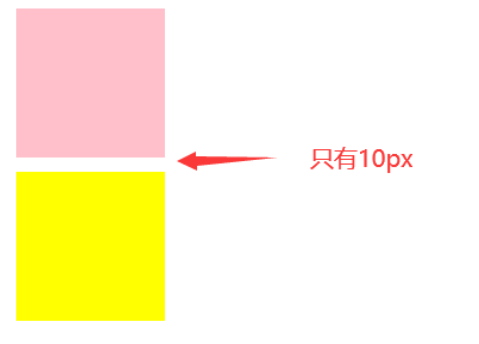
我们为两个div都设置了margin:10px;,二者之间应该的边距应该为20px,但是事实上是10px。
由于两个div属于同一个BFC(html),所以出现了边距重合的问题,那么将一个div外套一个BFC,便可以解决。
(容器内的元素不会在布局上影响到外面的元素。)
css
<style>
    .one{
         width: 100px;
         height: 100px;
         background-color: pink;
         margin:10px;
     }
     .two{
         width: 100px;
         height: 100px;
         background-color: yellow;
         margin: 10px;
     }
     .box{
        /* BFC */
        overflow: hidden;
     }
</style>
html
<body>
    <div class="one"></div>
    <div class="box">
        <div class="two"></div>
    </div>
</body>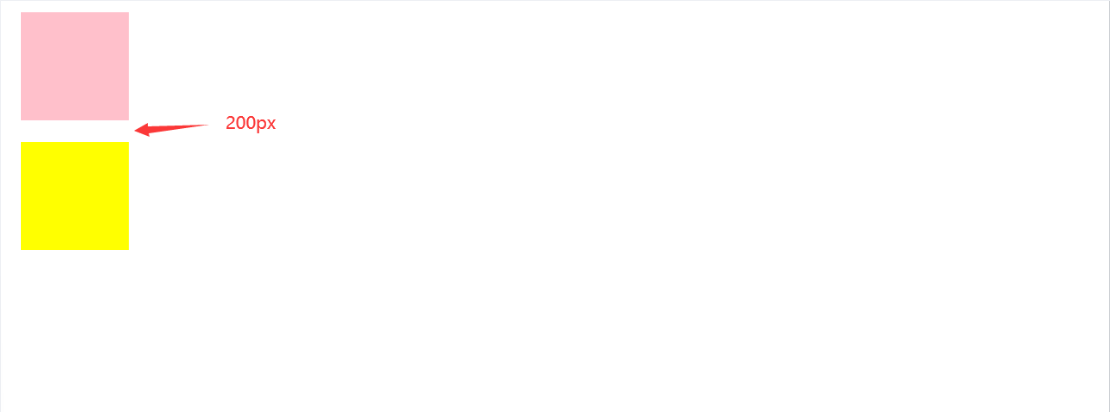
父子
问题:

可以看到,设置子元素div的外边距margin,却影响了父div的边距。
css
<style>
    *{
        margin: 0;
    }
    .box{
        background-color: red;
        /*BFC*/
        overflow: hidden;
    }
    .inner{
        background-color: black;
        width: 20px;
        height: 20px;
        margin: 20px;
    }
</style>
html
<div class="box">
    <div class="inner"></div>
</div>
问题解决
2、浮动元素覆盖
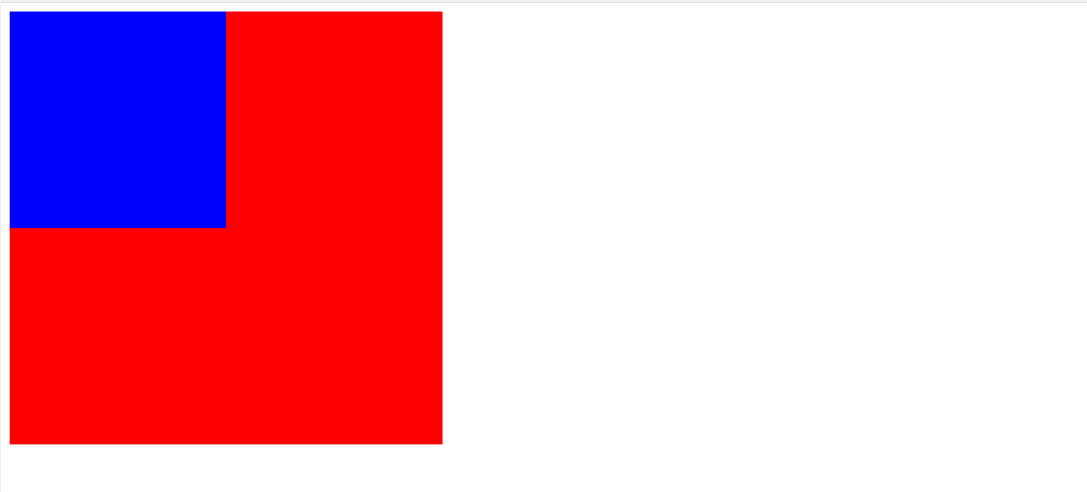
可以看到,由于蓝色div脱离了文档流,所以会覆盖红色的div,因为浮动元素在文档中并没有位置。
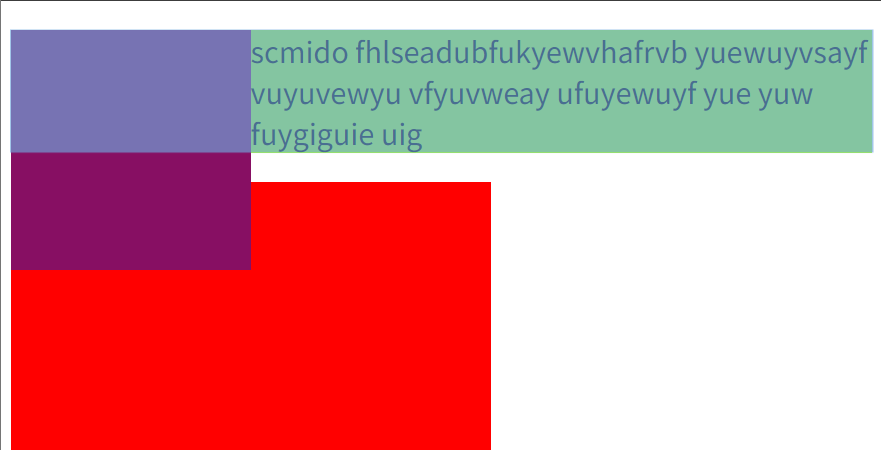
事实上p元素其实也会覆盖,只是文字表现形式不一样
css
<style>
    .box1{
        width: 200px;
        height: 200px;
        background-color: blue;
        float: left;
    }
    .box2{
        width: 400px;
        height: 400px;
        background-color: red;
        /* BFC */
        overflow: hidden;
    }
</style>
html
<body>
    <div class="box1"></div>
    <div class="box2"></div>
</body>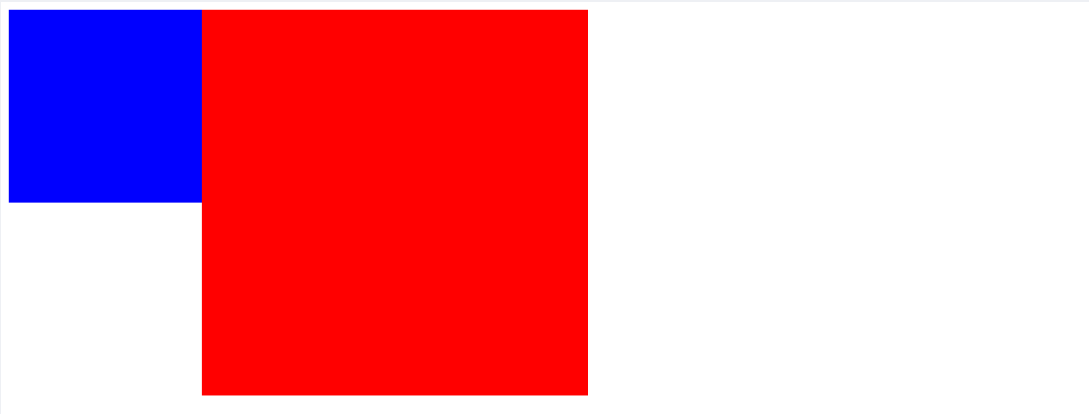
备注
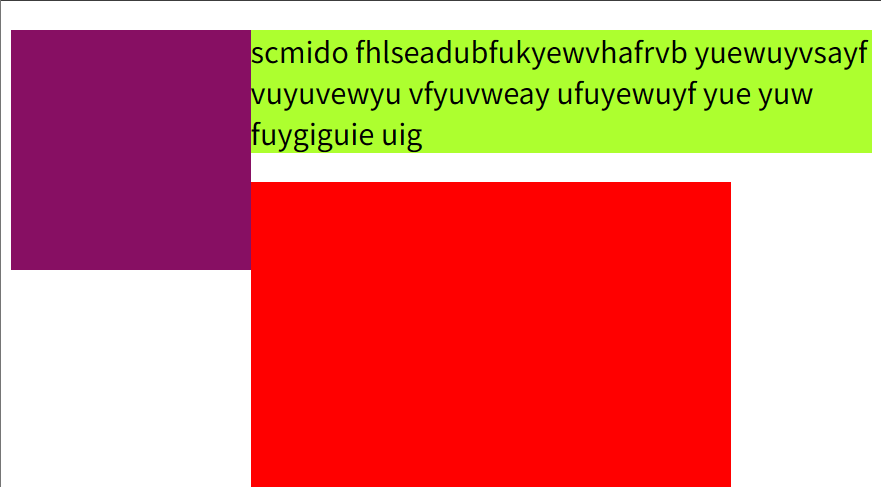
box1 设置了 float: left,脱离了正常文档流
没有BFC的情况下,box2 会忽略浮动元素,导致两个盒子重叠
BFC区域不会与浮动盒子重叠
BFC的关键作用
- 创建独立的渲染区域
- 内部元素不影响外部布局
- 与浮动元素保持清晰的边界关系
- 避免了传统清除浮动的复杂方法
浮动为什么会“跑出来”?
默认情况下,父元素的高度是由 普通文档流(normal flow) 的子元素撑开的。 但 浮动元素 (float) 会脱离普通流,因此不会参与父元素高度计算。
效果:
- BFC 会把浮动元素也算进自己的布局范围。(特性:容器内的元素不会在布局上影响到外面的元素。)
- 所以
.child的高度会重新被父容器识别。 .parent就能被撑开,蓝色背景包住粉色浮动块。
普通块 → “我只看普通流子元素,高度塌掉”
BFC 块 → “浮动子元素我也要管,高度正常”
3、高度坍塌

父div的高度不会包含浮动元素的高度,所以会显示浮动元素超出了父元素。
html
<!DOCTYPE html>
<html lang="en">

<head>
    <style>
        .box {
            background-color: rgb(224, 206, 247);
            border: 5px solid rebeccapurple;
           /* BFC */
            overflow: hidden;
        }

        .float {
            float: left;
            width: 200px;
            height: 150px;
            background-color: white;
            border: 1px solid black;
            padding: 10px;
        }
    </style>
</head>
<body>
    <div class="box">
        <div class="float">I am a floated box!</div>
        <p>I am content inside the container.</p>
    </div>
</body>
</html>
BFC与clear:both区别
clear 的实际作用
clear: both 并不是让元素”不忽略”浮动元素,而是:
强制元素移动到所有浮动元素的下方
具体机制对比
普通情况(无clear)
css
css
.normal-div {
    /* 普通块级元素会"钻到"浮动元素下面 */
    /* 背景和边框被浮动元素遮挡 */
    /* 但文字内容会围绕浮动元素 */
}
使用 clear: both
css
css
.cleared-div {
    clear: both;
    /* 强制整个元素移动到浮动元素下方 */
    /* 不会有任何重叠 */
}
关键区别
- 普通元素:盒子会被浮动元素遮挡,但内容(文字)会避开浮动元素
- clear: both:整个盒子(包括背景、边框、内容)都移动到浮动元素下方
- BFC元素:盒子在水平方向上避开浮动元素,形成并排布局
总结
clear= “移动到下方”(垂直方向的解决方案)BFC= “避开重叠”(水平方向的解决方案)
验证:
1、clear:both
html
<style>
    *{
        margin: 0;
        padding: 0;
    }
    .container{
        height: 500px;
        width: 500px;
        background-color: antiquewhite;
    }
    .box1{
        width: 200px;
        height: 200px;
        background-color: blue;
        float: left;
    }
    .box2{
        width: 200px;
        height: 200px;
        background-color: red;
        clear: both;
        /* BFC */
        /* display: flow-root; */
    }
</style>
<body>
  <div class="container">
    <div class="box1"></div>
    <div class="box2"></div>
  </div>
</body>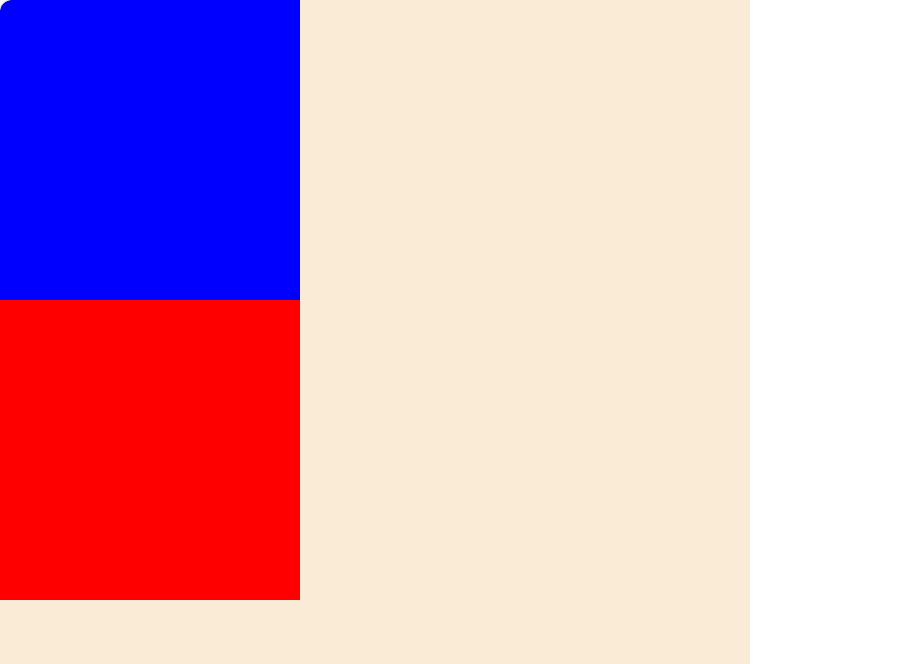
2、修改为BFC
html
<style>
    *{
        margin: 0;
        padding: 0;
    }
    .container{
        height: 500px;
        width: 500px;
        background-color: antiquewhite;
    }
    .box1{
        width: 200px;
        height: 200px;
        background-color: blue;
        float: left;
    }
    .box2{
        width: 200px;
        height: 200px;
        background-color: red;
        /* BFC */
        display: flow-root;
    }
</style>
<body>
  <div class="container">
    <div class="box1"></div>
    <div class="box2"></div>
  </div>
</body>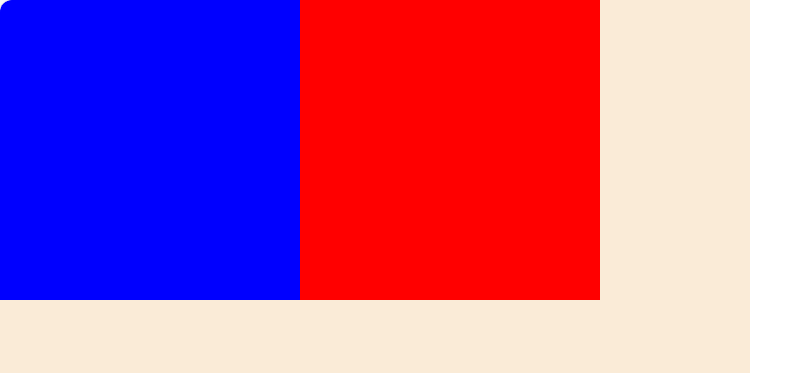
评论
评论加载中……